Cafans Journal
Stories & FindsCAFANS Guide: A 1000-Word English Walkthrough for PanGlobalBuy Shoppers
If you have been searching for a practical CAFANS guide, this article walks you through what this resource is, how it fits into the wider PanGlobalBuy ecosystem, and how to use it alongside a PanGlobalBuy spreadsheet, a step-by-step PanGlobalBuy guide, verified PanGlobalBuy product links, and a structured PanGlobalBuy shopping guide. The goal is simple: help you move from browsing to confident buying with fewer surprises.
What CAFANS Means in Practice
CAFANS is best understood as a curated discovery and reference layer for cross-border shoppers. Rather than being a marketplace itself, it organizes information: category overviews, sizing notes, material descriptions, shipping expectations, and quality signals. In the PanGlobalBuy context, CAFANS-style references help you judge whether a listing is worth your time before you commit to an order. Think of it as a research desk that sits between your search bar and your checkout cart.
Why a Spreadsheet Still Matters
A PanGlobalBuy spreadsheet remains one of the most reliable tools for anyone buying across borders. A good sheet typically includes columns for item name, category, seller rating, unit price, estimated shipping weight, color and size options, QC notes, and a final decision column. When you pair the sheet with CAFANS-style references, you can log the exact specification you expect and compare it against what arrives. This reduces the classic problem of ordering the right product in the wrong variant.
The Role of a Written Guide
A PanGlobalBuy guide should answer the questions a spreadsheet cannot: How do I read seller ratings? When should I request additional photos? What is a reasonable delivery window? Which payment methods are supported? A solid guide also explains how to interpret measurement charts, how to spot misleading product photography, and how to escalate an issue if an item arrives damaged. CAFANS-aligned guidance emphasizes evidence over hype, so look for guides that show examples rather than making vague promises.
Using Product Links Wisely
PanGlobalBuy product links are convenient but need context. Always check that a link points to the exact variant you want, confirm the seller name, and verify the listed price against your spreadsheet. Save links in a dedicated column so you can revisit them after a price change. A useful habit is to open the link in a fresh browser session to avoid cached pricing. When in doubt, cross-check the same item through a second search to see whether the listing is consistent.
A Practical Shopping Workflow
A PanGlobalBuy shopping guide works best as a repeatable routine. Start by defining your budget and category list. Next, build a shortlist in your spreadsheet and note the reference details from CAFANS-style pages. Then request QC photos for higher-value items, confirm the shipping method, and record the expected arrival window. After delivery, update the sheet with actual measurements and a quality rating. Over time, this creates a personal database that makes future purchases faster and safer.
Category Notes for Common Purchases
Shoppers commonly use this workflow for apparel, footwear, bags, accessories, home goods, small electronics and phone accessories, beauty tools, and hobby supplies. For apparel, compare the size chart with your own measurements rather than relying on letter sizes. For footwear, check whether the listing uses EU, US, or CM sizing. For electronics, confirm voltage and plug type. For home goods, factor in volumetric weight, since bulky items can cost more to ship than their price suggests.
Common Mistakes to Avoid
The most frequent errors are skipping the variant check, ignoring weight estimates, trusting a single photo, and failing to record seller details. Another mistake is treating a low price as the only signal; shipping and handling often change the total. Keep a running total column in your spreadsheet so the true cost is visible. Finally, avoid impulse purchases during flash sales unless the item is already on your shortlist.
Quality Control and After-Sales
QC photos are your best defense against disappointment. Ask for close-ups of stitching, labels, and hardware. If something looks off, raise it before shipment. Keep your order number, tracking details, and chat records together. A disciplined record makes any after-sales conversation much easier and gives you a clear timeline of what was promised.
Final Checklist
Before checkout, confirm the exact variant, verify the seller rating, check the shipping estimate, review the return policy, and update your spreadsheet. After delivery, log the outcome. Used consistently, this CAFANS-informed approach turns scattered browsing into a structured system, and the PanGlobalBuy tools around it—spreadsheet, guide, product links, and shopping guide—do the heavy lifting so you can shop with clarity.
Editor's selection
Popular Products

Shoes Ph076 Breathable Running Shoes | CSSBuy spreadsheet | LoongBuy spreadsheet - 136150

Men's Casual Shoes | CSSBuy spreadsheet | Kakobuy spreadsheet | Rizzitgo spreadsheet - 135435

Casual Shoes | Kakobuy spreadsheet | Hubbuycn spreadsheet | CNShopper spreadsheet - 136046

DS Slippers | Wheebuy spreadsheet | LoongBuy spreadsheet | Lovegobuy spreadsheet - 135724

Accessories | UIDBuy spreadsheet | Fishgoo spreadsheet | Oopbuy spreadsheet - 140922
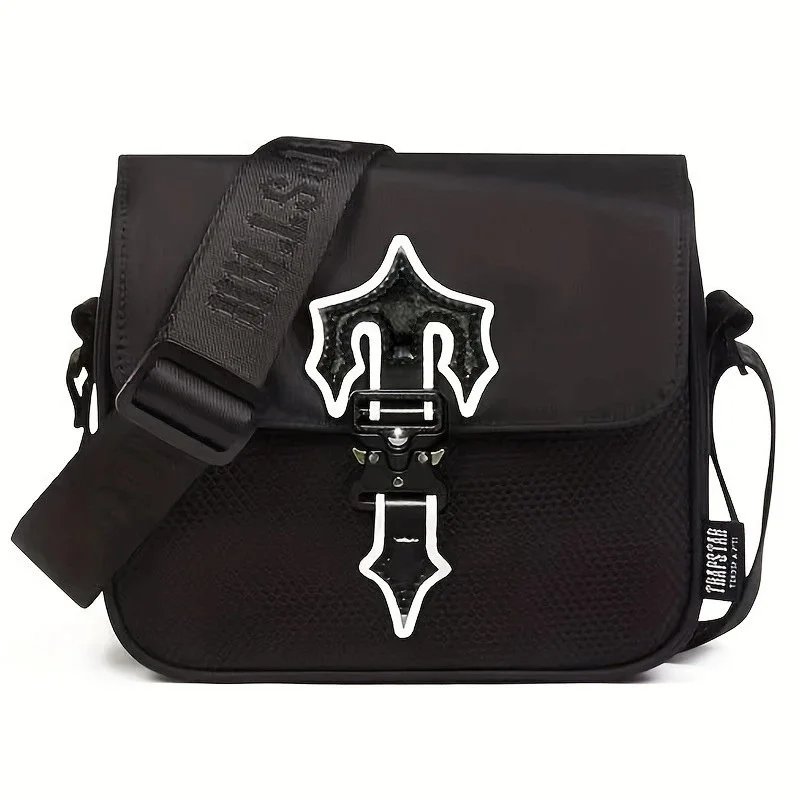
Trpstar Bags | LoongBuy spreadsheet | OOTDBuy spreadsheet | BBDBuy spreadsheet - 136524

Socks SP2.0 and 3XL Footwear Selection | Kakobuy spreadsheet | iTaoBuy spreadsheet - 152125