Cafans Journal
Stories & FindsOOPBuy Spreadsheet Guide: The Complete CAFANS Workbook for Smarter Shopping
What Is the OOPBuy Spreadsheet?
The oopbuy spreadsheet is a shared tracking workbook that shoppers use to organize orders, compare listings, and monitor prices across the OOPBuy platform. If you have ever lost track of which link belonged to which order, the oopbuy spreadsheet guide approach solves that by giving every item a row, every order a column, and every follow-up a status label. Think of it as your personal control panel: the spreadsheet does not place orders for you, but it makes the entire oopbuy shopping guide process visible in one place.
Why the CAFANS Method Works
CAFANS is the organizing logic behind the workbook. Each letter stands for a habit that keeps your oopbuy guide workflow clean:
- C — Collect: paste every oopbuy product links entry into one sheet the moment you find it.
- A — Annotate: add size, color, seller notes, and the date you found the item.
- F — Filter: sort by category, price, or warehouse status so you always know what is pending.
- A — Audit: recheck prices and stock before checkout to avoid stale links.
- N — Note: log QC findings, sizing feedback, and shipping updates next to each row.
- S — Share: export a read-only copy when friends or a shopping agent need the same list.
This structure is what separates a casual bookmark folder from a real oopbuy spreadsheet guide system. Once the columns are set, the sheet runs itself.
Setting Up Your First Sheet
Start with a single tab and these columns: item name, product link, category, size, color, unit price, quantity, order number, warehouse status, QC result, and notes. Add a second tab for shipping batches and a third for budget tracking. Keep the oopbuy spreadsheet simple at first; extra tabs can wait until the list grows past roughly fifty items.
Use data validation for the status column. Common values include shortlisted, ordered, in warehouse, QC passed, QC failed, shipped, and received. Filters then turn the sheet into a live dashboard, which is the core promise of any oopbuy guide worth reading.
Handling OOPBuy Product Links
Paste the full URL into its own cell and never edit it by hand. Broken links are the most common failure in a oopbuy shopping guide workflow, so keep a separate column for the original link and a second column for a short nickname. That way, if a listing is removed, you still know exactly what you were chasing.
Group links by category — apparel, footwear, bags, accessories, home goods, electronics accessories, stationery, and so on. Category grouping makes the oopbuy spreadsheet useful for spotting duplicates and for comparing similar items side by side.
Budget and Batch Tracking
Add a running total formula for item cost, domestic shipping, international shipping, and service fees. A oopbuy guide is only practical if it answers one question: what will this haul actually cost? Track each shipping batch on its own tab, record the parcel weight, and note the courier. Over time, your sheet becomes a personal oopbuy shopping guide with real numbers instead of estimates.
Comparison Shopping Tips
Use two adjacent columns to compare the same item from different sellers: price, rating, sold count, and photo quality. Sort by price per unit to reveal the cheapest option that still meets your standard. The oopbuy spreadsheet makes these comparisons visible at a glance, and the oopbuy spreadsheet guide habits keep the data honest.
Also keep a shortlist tab for items you are undecided on. Review it weekly, delete what no longer interests you, and move the rest into the main order tab. A disciplined oopbuy guide routine prevents impulse buys and abandoned carts.
QC Notes and Warehouse Status
When items reach the warehouse, log the QC result next to each row: measurements, stitching, color match, and any flaws. Mark failures clearly and decide immediately whether to return, exchange, or accept. The oopbuy spreadsheet should always show what is awaiting a decision, because warehouse storage time is limited.
Sharing and Exporting
Export a CSV or share a view-only link when collaborating. Remove personal details such as order numbers before sharing. A shared oopbuy shopping guide keeps group orders fair and transparent, and everyone can see which items are still pending.
Common Mistakes to Avoid
Do not let the sheet grow without maintenance. Dead links, outdated prices, and missing statuses are the three biggest problems. Schedule a ten-minute audit every week; that single habit is the most valuable part of this oopbuy guide. Back up the file regularly, and keep one master copy rather than several versions.
Final Thoughts
The CAFANS method turns a plain workbook into a reliable oopbuy spreadsheet system. Collect all oopbuy product links in one place, annotate every item, filter by status, audit before checkout, note QC results, and share clean copies. Follow this oopbuy shopping guide pattern and your oopbuy guide research will convert into organized orders, fewer mistakes, and predictable shipping costs.
Editor's selection
Popular Products

Shoes Ph076 Breathable Running Shoes | CSSBuy spreadsheet | LoongBuy spreadsheet - 136150

Men's Casual Shoes | CSSBuy spreadsheet | Kakobuy spreadsheet | Rizzitgo spreadsheet - 135435

Casual Shoes | Kakobuy spreadsheet | Hubbuycn spreadsheet | CNShopper spreadsheet - 136046

DS Slippers | Wheebuy spreadsheet | LoongBuy spreadsheet | Lovegobuy spreadsheet - 135724

Accessories | UIDBuy spreadsheet | Fishgoo spreadsheet | Oopbuy spreadsheet - 140922
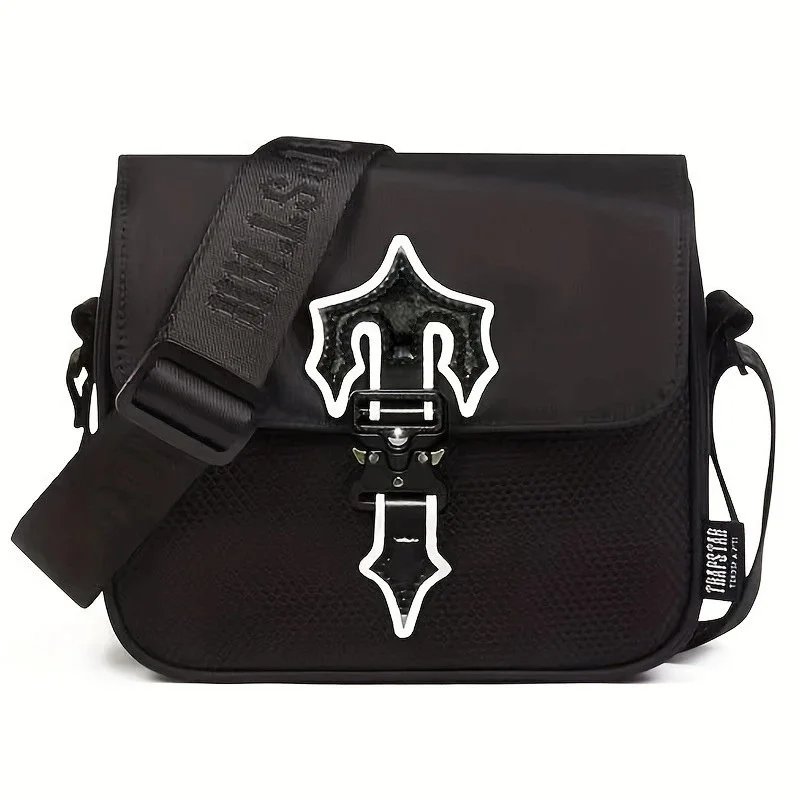
Trpstar Bags | LoongBuy spreadsheet | OOTDBuy spreadsheet | BBDBuy spreadsheet - 136524

Socks SP2.0 and 3XL Footwear Selection | Kakobuy spreadsheet | iTaoBuy spreadsheet - 152125