Cafans Journal
Stories & FindsCAFANS Shopping Guide: Mastering the Kakobuy Spreadsheet for Smarter Hauls
If you have spent any time browsing agent-based shopping communities, you have probably run into the kakobuyspreadsheet. It is one of the most talked-about tools for turning a sprawling catalog of unlisted items into an organized, shoppable list. This CAFANS shopping guide walks you through what the kakobuyspreadsheet is, how to use it responsibly, and how to combine it with the wider kakobuy guide ecosystem so your next haul is smoother, cheaper, and far less confusing.
What Is the Kakobuy Spreadsheet?
At its core, the kakobuyspreadsheet is a curated directory. Instead of hunting through dozens of scattered forum posts, you open a single document that lists items with names, categories, prices, sizes, and often direct purchase references. Sellers, resellers, and hobbyists maintain these sheets, and the community updates them as new finds appear. Think of it as a shared wishlist with structure: rows for products, columns for details, and tabs for categories such as apparel, footwear, accessories, home goods, and electronics accessories.
The spreadsheet is not a store. It is a navigation aid. You still place orders through the agent platform, and you still pay for domestic shipping, international shipping, and service fees. What the sheet saves you is time and guesswork — the two things that usually turn a fun haul into a frustrating one.
Why the Kakobuy Spreadsheet Matters
New shoppers often underestimate how much friction exists between "I saw a cool item" and "the parcel is at my door." Product links go dead, sizes are ambiguous, and photos can be misleading. A well-maintained kakobuyspreadsheet reduces that friction in several ways:
- Centralized discovery. You browse one document instead of ten social feeds.
- Comparable pricing. Seeing many items side by side makes outliers obvious.
- Category tabs. Filtering by apparel, bags, or home decor keeps your cart focused.
- Community verification. Popular entries often carry notes about quality or fit.
- Faster QC planning. Knowing what you ordered helps you check warehouse photos.
How to Read a Kakobuy Spreadsheet
Most sheets follow a similar layout, though columns vary by maintainer. Here is a practical reading order:
- Start with the index tab. It tells you which categories exist and how fresh the sheet is.
- Check the date column. An entry updated months ago may point to a dead listing.
- Read the notes. Comments about sizing up, color accuracy, or material weight are gold.
- Confirm the price basis. Some sheets list item price only; others include domestic shipping.
- Cross-check the link. Open the product page and verify the variant before ordering.
Treat every row as a lead, not a guarantee. The best kakobuy guide advice is simple: verify before you buy.
Using Kakobuy Product Links Safely
Kakobuy product links are the bridge between the spreadsheet and your cart. A few habits keep that bridge stable:
- Open links in a fresh tab and confirm the seller rating and recent reviews.
- Screenshot the variant you selected, including size and color, for your own records.
- Save the original link in a personal notes file; sheets get reorganized.
- Avoid links shortened beyond recognition; ask the sheet maintainer for the full URL.
- Remember that prices fluctuate, so recheck before checkout.
A Step-by-Step Kakobuy Shopping Guide
Here is a repeatable workflow that works for beginners and veterans alike:
- Plan a budget. Decide your item budget and your shipping budget separately.
- Browse the sheet by category. Shortlist ten to fifteen items rather than fifty.
- Verify each candidate. Check the product page, the seller, and the stated variant.
- Estimate weight. Bulky or heavy items change your shipping cost dramatically.
- Place orders in batches. Group items by warehouse arrival time to consolidate parcels.
- Review QC photos. Reject clearly defective items before international shipping.
- Consolidate and ship. Choose a line that matches your budget and timeline.
- Track and document. Keep order numbers and tracking in one place.
Common Mistakes to Avoid
Even a great kakobuyspreadsheet cannot save a careless checkout. Watch for these pitfalls: ordering the wrong size because the sheet listed a regional size chart; ignoring domestic shipping fees that add up across many small orders; assuming a photo shows the exact color; forgetting that return policies are often limited; and overloading a single parcel past a carrier's dimensional limits. A calm, checklist-driven approach beats impulse buying every time.
Choosing Categories Sensibly
Spreadsheets usually cover a broad range of goods. Beginners do well to start with lower-risk categories: basic apparel, simple accessories, stationery, phone cases, and small home organizers. Footwear and electronics accessories demand more attention to sizing and compatibility. Furniture and large home goods are better left until you understand volumetric weight. This CAFANS shopping guide recommends one exploratory haul before committing to expensive categories.
Building Your Own Shortlist
Once you are comfortable, create a personal mini-sheet. Copy the rows you like, add columns for your budget, desired size, and priority, and note the date you checked each link. This personal layer turns the public kakobuyspreadsheet into a project plan. Share it with friends if you are splitting shipping, but keep a master copy under your control.
Final Thoughts
The kakobuyspreadsheet is a convenience tool, not a shortcut around due diligence. Used well, it shortens discovery time, improves price awareness, and helps you build a coherent cart. Pair it with a disciplined kakobuy guide routine, verify your kakobuy product links, and treat every entry as a starting point for your own research. Do that, and the spreadsheet becomes what it was meant to be: a map, not a guarantee.
Editor's selection
Popular Products

Shoes Ph076 Breathable Running Shoes | CSSBuy spreadsheet | LoongBuy spreadsheet - 136150

Men's Casual Shoes | CSSBuy spreadsheet | Kakobuy spreadsheet | Rizzitgo spreadsheet - 135435

Casual Shoes | Kakobuy spreadsheet | Hubbuycn spreadsheet | CNShopper spreadsheet - 136046

DS Slippers | Wheebuy spreadsheet | LoongBuy spreadsheet | Lovegobuy spreadsheet - 135724

Accessories | UIDBuy spreadsheet | Fishgoo spreadsheet | Oopbuy spreadsheet - 140922
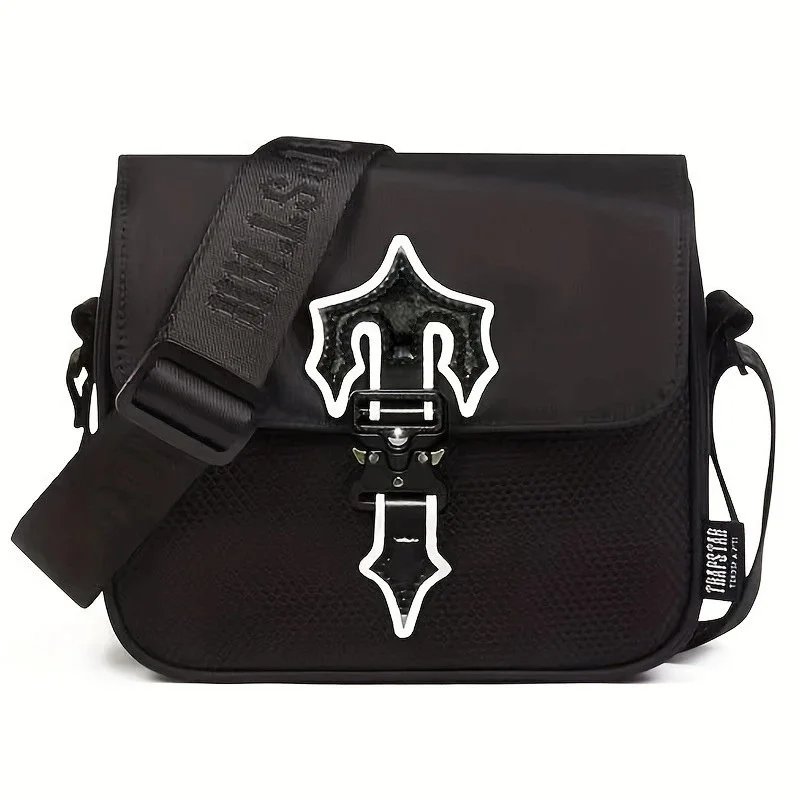
Trpstar Bags | LoongBuy spreadsheet | OOTDBuy spreadsheet | BBDBuy spreadsheet - 136524

Socks SP2.0 and 3XL Footwear Selection | Kakobuy spreadsheet | iTaoBuy spreadsheet - 152125