Cafans Journal
Stories & FindsEnglish CAFANS Guide: Using the CSSBuy Spreadsheet for Smarter Shopping
English CAFANS Guide: Using the CSSBuy Spreadsheet for Smarter Shopping
If you have spent any time browsing agent-based marketplaces, you have probably heard about the CSSBuy spreadsheet. This English CAFANS guide walks you through what the spreadsheet is, why it matters, and how to combine it with a solid CSSBuy guide to make better purchasing decisions. Whether you are a first-time buyer or an experienced reseller, the tips below will help you navigate product discovery, QC photos, shipping weight estimates, and order consolidation with confidence.
What Is the CSSBuy Spreadsheet?
The CSSBuy spreadsheet is a community-maintained reference document that lists product links, item names, prices, sizes, and sometimes QC notes for items available through the CSSBuy agent platform. Instead of scrolling through endless category pages, buyers use the spreadsheet to compare options at a glance. Think of it as a curated index: each row is a product, and each column adds context such as batch version, seller rating, or estimated weight.
Because the sheet is updated by users and moderators, it functions as a living CSSBuy shopping guide. New entries appear when a seller releases a new batch, and outdated rows are flagged or removed. This makes the CSSBuy spreadsheet guide especially useful for anyone who wants to avoid stale listings and duplicate purchases.
Why Use a CSSBuy Spreadsheet Guide?
A structured CSSBuy spreadsheet guide saves time and reduces risk. First, it centralizes CSSBuy product links so you do not have to hunt across multiple tabs. Second, it lets you compare prices and batch quality side by side. Third, it often includes practical details like weight and dimensions, which are essential for estimating international shipping costs.
Another advantage is community feedback. Many spreadsheets include columns for QC status, return rate, or seller responsiveness. When you follow a CSSBuy guide that references these columns, you can prioritize reliable sellers and avoid items with recurring flaws. Over time, you learn which categories consistently deliver good value.
How to Read the Spreadsheet Columns
Most versions of the CSSBuy spreadsheet share a common structure. A typical row includes the item name, a hyperlink, the listed price, available sizes, color options, batch or version, and remarks. Some sheets add columns for estimated weight, seller contact, and last-updated date.
When using the CSSBuy spreadsheet guide, pay attention to the version column first. A higher batch number is not always better, but it usually indicates a revision based on earlier feedback. Cross-check the price against the CSSBuy product links to confirm the listing is still active. If a link is dead, note it and move on rather than guessing.
Pairing the Sheet With the CSSBuy Shopping Guide
The spreadsheet is a discovery tool, not a checkout page. A complete CSSBuy shopping guide should explain the next steps: creating an account, submitting an order request, paying for the item, waiting for warehouse receipt, reviewing QC photos, and choosing a shipping line. The spreadsheet shortens the discovery phase, while the CSSBuy guide covers fulfillment.
Use the sheet to shortlist three to five items, then open each CSSBuy product link to verify stock, size availability, and seller policies. Add items to your cart only after confirming the listing matches the spreadsheet entry. This simple habit prevents ordering the wrong batch or an out-of-stock variant.
Practical Tips for First-Time Users
- Start small: Order one or two items first to test the agent workflow and shipping timeline.
- Check QC photos carefully: Compare stitching, labels, and measurements against the spreadsheet notes.
- Estimate weight early: Use the spreadsheet weight column to budget for international shipping.
- Consolidate parcels: Combine multiple items to reduce per-kilogram shipping costs.
- Track updates: Revisit the CSSBuy spreadsheet guide before each haul to catch revised batches.
These habits align with any reliable CSSBuy guide and help you avoid common mistakes such as overpaying for shipping or selecting a seller with poor communication.
Common Categories Found in the Spreadsheet
The CSSBuy spreadsheet typically covers apparel, footwear, bags, accessories, and small lifestyle items. Apparel rows often include hoodies, jackets, T-shirts, and pants, with size charts linked in remarks. Footwear entries usually list sneakers, boots, and sandals with batch versions and sizing notes. Bag listings may include backpacks, crossbody bags, and travel bags. Accessories range from belts and hats to jewelry and phone cases. Lifestyle items can include home goods, stationery, and small electronics accessories.
Because categories vary by season, the sheet is never static. A good CSSBuy spreadsheet guide reminds you to filter by category and sort by last-updated date before making decisions.
Avoiding Pitfalls
Not every spreadsheet row is trustworthy. Some links expire, some sellers change materials without notice, and some prices exclude domestic shipping. Always verify details on the product page, read recent buyer comments, and confirm return policies before paying. If a row lacks a QC note or update date, treat it as unverified.
Also beware of spreadsheets that promise guaranteed quality. No sheet can replace your own inspection of QC photos. Use the CSSBuy spreadsheet as a starting point, then apply judgment.
Conclusion
The CSSBuy spreadsheet is a powerful companion to any CSSBuy shopping guide. It speeds up product discovery, centralizes CSSBuy product links, and helps you compare batches and prices. By following this English CAFANS guide, reading the columns carefully, and pairing the sheet with disciplined QC and shipping practices, you can shop more efficiently and reduce costly mistakes. Revisit the CSSBuy spreadsheet guide regularly, and treat every row as a lead to verify rather than a guarantee.
Editor's selection
Popular Products

Shoes Ph076 Breathable Running Shoes | CSSBuy spreadsheet | LoongBuy spreadsheet - 136150

Men's Casual Shoes | CSSBuy spreadsheet | Kakobuy spreadsheet | Rizzitgo spreadsheet - 135435

Casual Shoes | Kakobuy spreadsheet | Hubbuycn spreadsheet | CNShopper spreadsheet - 136046

DS Slippers | Wheebuy spreadsheet | LoongBuy spreadsheet | Lovegobuy spreadsheet - 135724

Accessories | UIDBuy spreadsheet | Fishgoo spreadsheet | Oopbuy spreadsheet - 140922
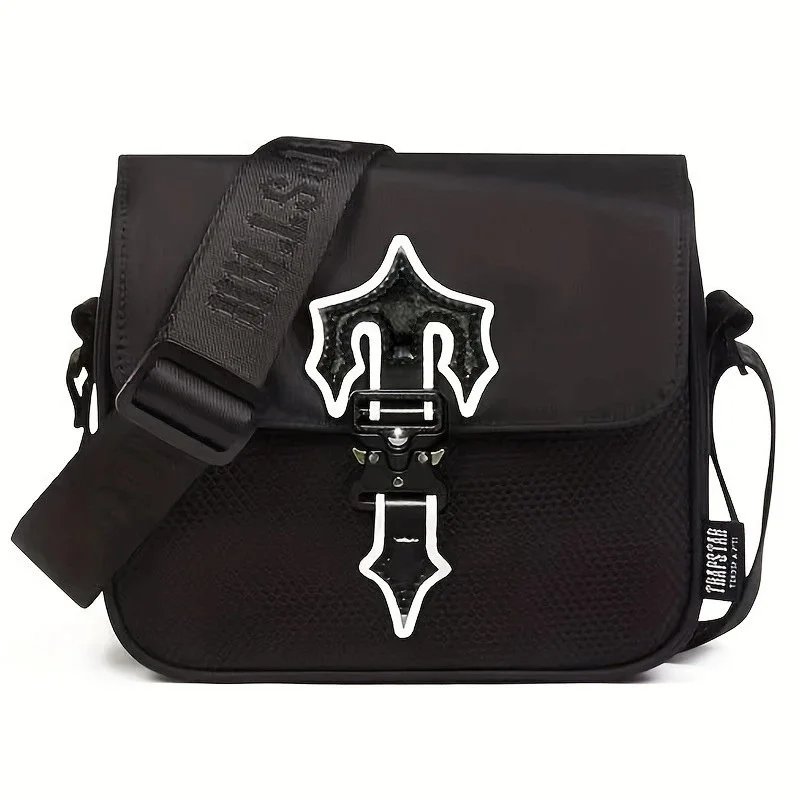
Trpstar Bags | LoongBuy spreadsheet | OOTDBuy spreadsheet | BBDBuy spreadsheet - 136524

Socks SP2.0 and 3XL Footwear Selection | Kakobuy spreadsheet | iTaoBuy spreadsheet - 152125