Cafans Journal
Stories & FindsCAFANS Guide: Your Complete BBDBuyEU Shopping Companion
CAFANS Guide: Your Complete BBDBuyEU Shopping Companion
If you have been searching for a clear, practical English CAFANS guide, you have landed in the right place. This article walks you through what CAFANS means in the context of agent-based shopping, how the BBDBuyEU platform fits in, and how to use resources like the BBDBuyEU spreadsheet, the BBDBuyEU guide, verified BBDBuyEU product links, and a reliable BBDBuyEU shopping guide to make smarter purchasing decisions. Whether you are a first-time buyer or an experienced hauler, this guide is designed to be your single reference point.
What Is CAFANS?
CAFANS is a shorthand used in the international shopping community to describe a structured buying approach: Compare, Assess, Filter, Approve, Navigate, and Secure. Each step helps you avoid common pitfalls when purchasing from overseas marketplaces through an agent. The BBDBuyEU ecosystem supports every one of these steps, which is why combining CAFANS with BBDBuyEU has become a popular workflow among European and English-speaking shoppers.
In practical terms, CAFANS means you compare listings across sellers, assess quality and seller reputation, filter out unreliable items, approve a shortlist, navigate shipping and customs options, and finally secure your order with tracking and payment protection. The BBDBuyEU guide structure mirrors this sequence, making it easy to follow.
Why BBDBuyEU?
BBDBuyEU is a shopping agent service that helps buyers order from Chinese marketplaces and receive items in Europe and other regions. It provides consolidated warehousing, quality inspection (QC) photos, multiple shipping lines, and a user-friendly dashboard. For CAFANS-style shoppers, BBDBuyEU offers transparency at each stage: you can see product details, request additional photos, and choose the logistics route that fits your budget and timeline.
The platform is especially popular for footwear, apparel, accessories, bags, and small electronics. Many users rely on the BBDBuyEU spreadsheet to browse curated finds, while others prefer the BBDBuyEU product links shared in community threads. Both approaches work well when combined with the CAFANS checklist.
The BBDBuyEU Spreadsheet Explained
A spreadsheet is often the fastest way to discover quality items. The BBDBuyEU spreadsheet typically organizes products by category, includes pricing, seller ratings, and sometimes QC notes. Here is how to use it effectively:
- Compare rows: Sort by price, category, or seller rating to identify the best options.
- Assess seller data: Check return rates, order volumes, and buyer feedback columns.
- Filter duplicates: Remove listings that appear across multiple batches with inconsistent photos.
- Approve a shortlist: Copy the product IDs you want into a separate tab before ordering.
- Navigate shipping estimates: Use weight and体积 (volume) columns to anticipate logistics costs.
- Secure your order: Cross-check each item against the BBDBuyEU shopping guide before checkout.
Remember that spreadsheets are community-maintained and can go out of date. Always verify a listing on the platform before paying.
How to Use BBDBuyEU Product Links
BBDBuyEU product links are direct URLs to items on supported marketplaces, often shared by reviewers or community members. When you open a link, confirm the seller name, size chart, and material description. Avoid links that redirect to unrelated domains, and never share your payment credentials outside the official BBDBuyEU checkout flow.
A good habit is to paste each link into the agent’s search bar rather than buying directly from the marketplace. This ensures your order is covered by the agent’s inspection and consolidation services.
Building Your Own BBDBuyEU Shopping Guide
Every shopper’s needs differ, so a personalized BBDBuyEU shopping guide is valuable. Follow these steps:
- Set a budget: Include product cost, domestic shipping, international freight, and possible customs duties.
- Choose categories: Start with one or two categories such as sneakers or hoodies to reduce complexity.
- Define quality thresholds: Decide whether you need QC photos for every item or only high-value ones.
- Select shipping lines: Compare economy, standard, and express options for transit time and insurance.
- Plan consolidation: Group items to reduce per-parcel shipping fees.
- Track and review: Keep records of order numbers, tracking IDs, and seller performance.
CAFANS Checklist for BBDBuyEU Orders
Compare: Use the spreadsheet and community recommendations to compare similar products.
Assess: Read seller reviews and request extra photos when unsure.
Filter: Discard items with vague descriptions or suspiciously low prices.
Approve: Finalize your cart and confirm sizes and colors.
Navigate: Choose a shipping line and understand customs rules in your country.
Secure: Pay through the official channel and keep your order confirmation.
Common Mistakes to Avoid
Many beginners skip the assessment step and regret it later. Others ignore volumetric weight, leading to unexpected shipping charges. Some trust outdated spreadsheet entries without verifying the live listing. A few forget that customs thresholds vary by country. Following the CAFANS sequence and the official BBDBuyEU guide helps you avoid these issues.
Final Thoughts
The combination of CAFANS discipline and BBDBuyEU tools gives you a reliable framework for international shopping. Use the BBDBuyEU spreadsheet to discover items, the BBDBuyEU product links to verify listings, and the BBDBuyEU shopping guide to plan costs and shipping. Treat this English CAFANS guide as a starting point, and always confirm details on the official platform before completing a purchase.
Editor's selection
Popular Products

Shoes Ph076 Breathable Running Shoes | CSSBuy spreadsheet | LoongBuy spreadsheet - 136150

Men's Casual Shoes | CSSBuy spreadsheet | Kakobuy spreadsheet | Rizzitgo spreadsheet - 135435

Casual Shoes | Kakobuy spreadsheet | Hubbuycn spreadsheet | CNShopper spreadsheet - 136046

DS Slippers | Wheebuy spreadsheet | LoongBuy spreadsheet | Lovegobuy spreadsheet - 135724

Accessories | UIDBuy spreadsheet | Fishgoo spreadsheet | Oopbuy spreadsheet - 140922
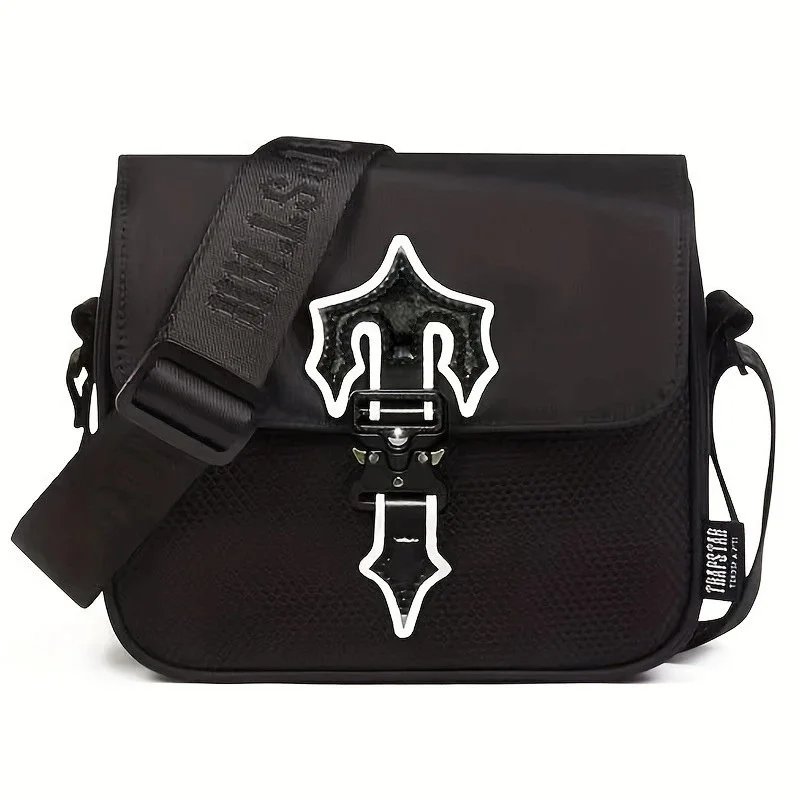
Trpstar Bags | LoongBuy spreadsheet | OOTDBuy spreadsheet | BBDBuy spreadsheet - 136524

Socks SP2.0 and 3XL Footwear Selection | Kakobuy spreadsheet | iTaoBuy spreadsheet - 152125